
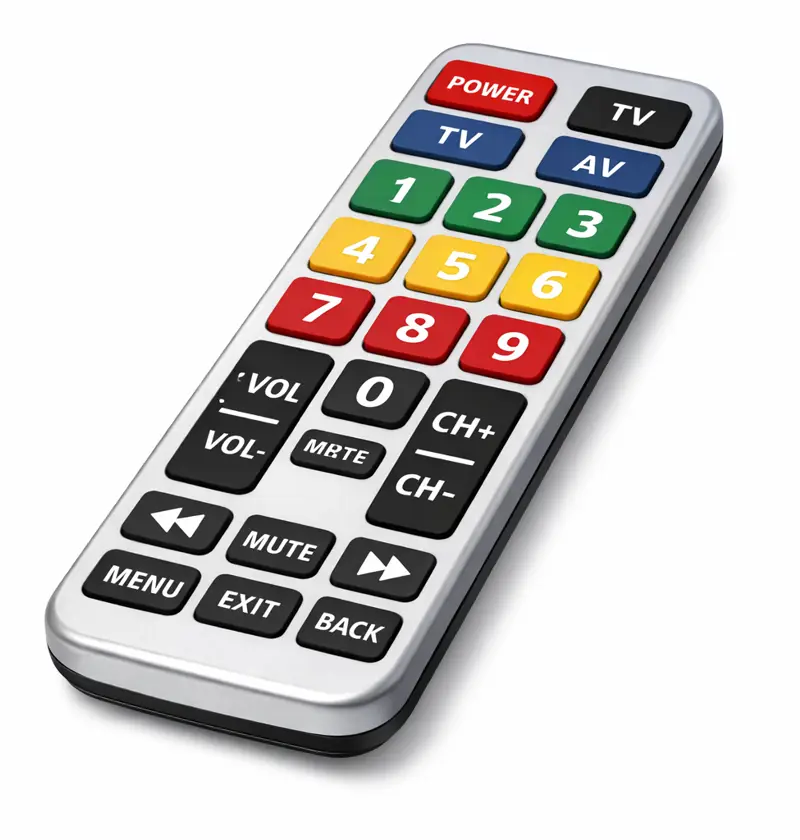
When supporting an elderly parent, small frustrations can quickly add up. Something as simple as turning on the television or changing the channel can become challenging if the remote control is difficult to use.
Remotes designed for seniors usually include larger buttons, clearer layouts and fewer functions. Some models also allow carers to programme or lock settings to reduce accidental changes.
Below are several widely available remote controls that aim to make watching television simpler and more enjoyable.
Some links below may be affiliate links. If you buy through them, we may earn a small commission, helping to keep Carents free to use. As an Amazon Associate, we earn from qualifying purchases.
If you’ve found a product that’s made a real difference to your parent, we’d love to hear about it. Please get in touch at hello@carents.co.uk and help us share with others in the Carents community.
1. TabTime Big Button TV Remote Control
The TabTime Big Button TV Remote Control focuses on simplicity with a clean layout and large, high-contrast buttons. It is designed specifically with older users in mind and removes unnecessary controls that can make standard remotes confusing.
With only the key functions included: power, volume, channel controls and mute, it aims to make day-to-day television use more straightforward. The oversized buttons can also help those with reduced dexterity or vision.
Pros
✔️ Large, clearly labelled buttons
✔️ Simplified layout with only essential functions
✔️ High contrast design improves visibility
✔️ Suitable for users with limited dexterity
✔️ Designed specifically for older adults
Cons
❌ May not control multiple devices
Best for: Elderly parents who want a very straightforward remote with only the core TV functions.
2. Gvirtue Large Button Universal Remote Control for Elderly
The Gvirtue Large Button Universal Remote Control for Elderly offers a simple layout while still functioning as a universal remote. This allows it to work with many TV brands, making it a practical option if the original remote has been lost or is difficult to use.
The large buttons and uncluttered layout are intended to improve usability, while the universal compatibility means it may work with a range of televisions without needing a complicated setup.
Pros
✔️ Large buttons designed for visibility and ease of use
✔️ Universal compatibility with many TV brands
✔️ Clear layout with reduced button clutter
✔️ Suitable replacement for lost or broken remotes
Cons
❌ Initial setup may require assistance but a simple step by step guide is provided
Best for: Homes where a simple replacement remote is needed for a variety of TV brands.
3. Flipper Big Button Universal TV Remote for Seniors
The Flipper Big Button Universal TV Remote for Seniors takes a slightly different approach by allowing carers to programme favourite channels and limit which channels can be accessed. This can be particularly helpful for people living with dementia or memory challenges.
The remote has large buttons and a simplified layout, while the programming feature allows carers to remove unnecessary options and keep only familiar channels.
Pros
✔️ Large, easy-to-press buttons
✔️ Can programme favourite channels
✔️ Option to restrict channels to reduce confusion
✔️ Designed with dementia users in mind
✔️ Works with many TVs and set-top boxes
Cons
❌ Does not work streaming apps
Best for: Elderly parents who may benefit from simplified channel choices or dementia-friendly design.
4. EZClicker TV Remote for Seniors
The EZClicker TV Remote for Seniors is designed to reduce clutter by focusing on only the most frequently used functions. The layout includes large buttons for power, volume and channel control, making everyday use easier to understand.
Some models also allow basic programming for specific TVs or streaming devices, helping keep the experience straightforward without requiring a complex remote.
Pros
✔️ Large buttons designed for easy pressing
✔️ Simple layout focusing on essential controls
✔️ Works with many TV brands
Cons
❌ Setup may require initial assistance
Best for: Elderly users who want a very simple remote with only the most common functions.
Which Remote Might Suit Your Parent?
Different households will need different levels of simplicity.
📺 Simplest layout: TabTime Big Button TV Remote Control – Focused on the core TV functions
🔁 Replacement universal option: Gvirtue Large Button Universal Remote Control – Works with many TV brands
🧠 Helpful for memory difficulties: Flipper Big Button Universal TV Remote – Allows favourite channel programming
🖲 Straightforward everyday use: EZClicker TV Remote for Seniors – Basic controls with large buttons
A thoughtfully chosen remote control can remove small frustrations from daily life and help your parent enjoy television more independently.
If you’ve come across a remote control that has made life easier for your elderly parent, we’d love to hear about it. Sharing these experiences helps other carers discover practical solutions. Get in touch with us at hello@carents.co.uk and let us know which products have worked well in your home.
Stay in touch with The Carents Room
Stay informed and supported on your carenting journey with our newsletter, designed to provide you with:
- Practical Tips: Get expert advice and useful tips to help you navigate the challenges of caring for your elderly relatives.
- Latest Updates: Stay up-to-date with the latest news, research, and developments in health and care services.
- Community Insights: Hear from fellow carents, sharing their experiences and stories to support you.
- Exclusive Resources: Access special content and resources designed to make your role as a carer easier and more effective.
Join our community today and make carenting a smoother, more informed experience. Simply enter your email below to start receiving our carefully curated content straight to your inbox.
This article may contain affiliate links. If you choose to make a purchase via these links, we may receive a small commission at no additional cost to you. As an Amazon Associate, we earn from qualifying purchases. We may also receive compensation from partners for featuring their products, which supports the continued running of Carents.co.uk and our services at no cost to users. We only suggest products we genuinely believe may help. Carents accepts no responsibility for the quality, safety, or suitability of any third-party products. If you choose to make a purchase you do so at your own risk.Got a product to recommend? Email us at hello@carents.co.uk.